

Inbox
Manage all your customer conversations across WhatsApp, Instagram, Facebook, TikTok, and phone from one unified inbox.
Replyn's unified inbox brings every customer conversation into a single view, regardless of the channel it originated from. Whether a customer messages you on WhatsApp, replies to an Instagram story, sends a Facebook message, comments on TikTok, or calls your business phone number, the conversation appears in one place for your team to handle.
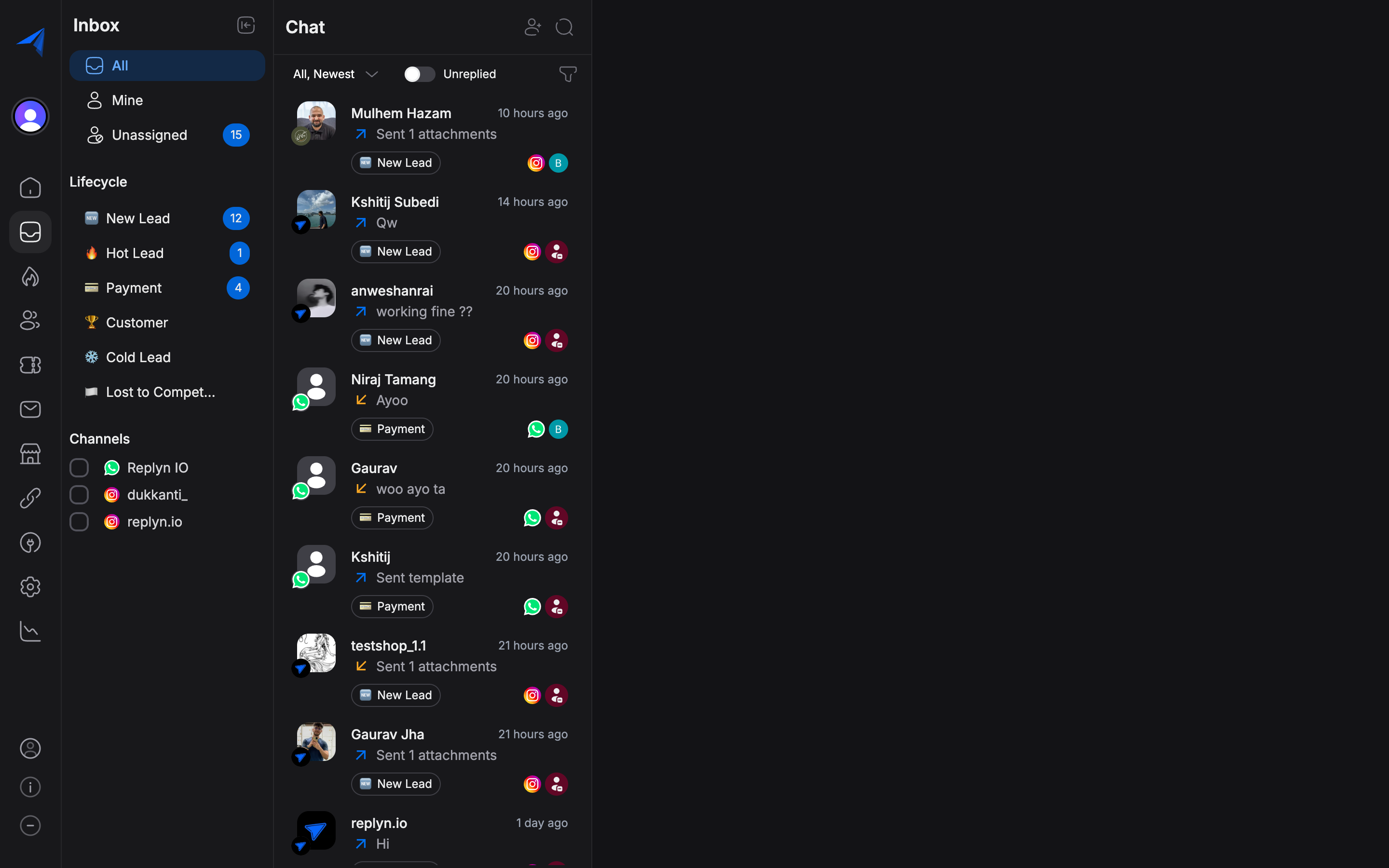
All Channels, One Inbox
Instead of switching between multiple apps and dashboards, your team works from a single inbox. Each conversation displays the channel icon so you can immediately identify where the message came from:
- WhatsApp — Business API messages, template messages, and media
- Instagram — Direct messages, story replies, and comment responses
- Facebook — Messenger conversations and page messages
- TikTok — Direct messages and comment interactions
- Phone — Call logs and SMS messages
Channels must be connected before conversations appear in the inbox. Visit Channels to learn how to set up each integration.
Key Capabilities
The inbox is designed to help your team respond quickly, stay organized, and never lose track of a customer interaction.
Managing Conversations
Filter, assign, open, and close conversations. View contact details and conversation history at a glance.
Sending Messages
Compose text messages, send attachments, use approved templates, and leverage quick reply snippets.
Message Status & Delivery
Track whether messages were sent, delivered, read, or failed. Understand delivery windows and retry options.
Quick Reply Snippets
Create pre-written reply templates and insert them into conversations instantly with a keyboard shortcut.
How the Inbox Fits into Replyn
The inbox is the central hub for day-to-day customer engagement. It integrates tightly with the rest of the platform:
- Contacts — Every conversation is linked to a contact record. View and edit contact details directly from the inbox sidebar.
- Leads — Qualify leads and update lifecycle stages without leaving the conversation.
- Tickets — Escalate a conversation into a support ticket when it requires follow-up.
- Broadcasts — Replies to broadcast messages appear in the inbox as regular conversations.
- Ecommerce — View a customer's order history alongside the conversation.
- Clinic — See upcoming appointments for the patient you are chatting with.